Why One Earbud Dies Faster Than the Other & How to Fix It
Ever been deep into a playlist or a tense podcast, and suddenly one earbud throws in the towel while the other is still going strong? It’s incredibly annoying, we know.
But before you toss your pair out, know this: a slight 5–10% difference in battery life between the left and right earbuds is completely normal. TWS earbuds don't work exactly the same way, so a little asymmetry in power consumption is expected.
But if one bud is draining 20% faster than its partner and constantly interrupts your music, we’ve got a problem. Let's break down exactly why this happens and how you can fix it without losing your mind.
Contents
The Usual Suspects: Why It Happens
- The "Master" Dynamic: In many models, one earbud acts as the "boss." It connects to your phone, processes the Bluetooth signal, and relays it to the other earbud. Because it is doing pretty much all the heavy lifting, it naturally drains faster.
- Dirty Charging Contacts: Sometimes, the earbud isn't actually draining faster — it just never fully charged to begin with. Dust, sweat, or pocket lint on the charging pins can block the electrical connection inside the case.
- Lopsided Feature Usage: Microphones eat up battery! If you heavily rely on just one side to take phone calls, use voice assistants, or tap touch controls, that specific battery will tap out first.
- Software Glitches: Modern headphones are tiny computers. Sometimes they just glitch out, get stuck in a high-power mode, or fail to sync their battery usage properly.
- Battery Degradation: Lithium-ion batteries age — so if you have an older or budget-friendly pair, one battery might simply be degrading and losing its capacity faster than the other. That’s life.
How to Fix the Drain
Let's play tech doctor, shall we? Here’s a quick, bullet-speed guide on how to isolate the issue and fix it.
1. WANTED: Software Reset
- How to spot it: The drain issue started suddenly, and your companion app shows a massive percentage gap between the buds for no logical reason.
- How to fix it: Put both earbuds in the case for 15 seconds, take them out, and reconnect. If that fails, do a full factory reset via the app or the button on the case. This clears out temporary bugs, forces the earbuds to re-sync, and often reassigns the heavy-lifting "master" role.
2. WANTED: Deep Clean
- How to spot it: Right out of the case, one bud is at 100%, and the other is at 75%. You might also spot physical grime or oxidation on the metal charging pins.
- How to fix it: Grab a cotton swab, dip it very lightly in isopropyl alcohol, and gently clean the golden contacts on both the earbuds and inside the case. Let them dry completely before charging. Make this a monthly habit, actually — you can never go wrong with proper TWS hygiene.
3. WANTED: Habit Swap
- How to spot it: You realize you constantly use only the right earbud for phone calls or voice notes. Or only the left. Doesn’t matter, really.
- How to fix it: If you listen to podcasts or take calls in mono mode, consciously alternate between the left and right earbuds. This way, you can spread their workload evenly to keep the battery wear even!
Pro Tips to Extend Battery Life
Alright, we have fixed the current problem. But you probably want to keep your earbuds running perfectly for years, right? Then follow these ground rules:
- Don't Drain to Zero: Lithium-ion batteries hate hitting 0%. Try to pop them back in the case when they drop to 15–20%, or even before that.
- Turn Off What You Don't Need: Active Noise Cancellation (ANC), transparency mode, and auto-pause sensors are massive battery hogs. Turn them off if you are just chilling in a quiet room.
- Keep It Clean: A quick wipe of the charging contacts prevents half of the hardware issues people experience with wireless audio.
When to Call in the Pros
If you have cleaned the contacts, reset the software, and one earbud still consistently dies twice as fast as the other, you are likely dealing with a dead battery or a manufacturing defect.
Don't try to pry anything open yourself! Bring your pair into the Dr.Head showroom in Dubai. Our service experts can run a proper diagnostic, check your warranty status, and let you know if it can be repaired — or if it is time for an upgrade.
Headset type: stereo
Brand: Apple
Type of wireless headphones: True Wireless
Brand: MoonDrop
Type of wireless headphones: True Wireless
Bluetooth version: 5.3
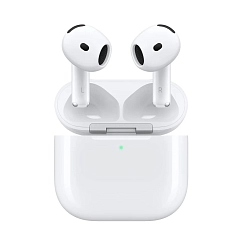
Headset type: stereo
Brand: Apple
Type of wireless headphones: True Wireless

Headset type: stereo
Brand: Bose
Type of wireless headphones: True Wireless

Headset type: stereo
Brand: Noble Audio
Type of wireless headphones: True Wireless
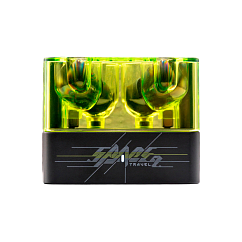
Brand: MoonDrop
Type of wireless headphones: True Wireless
Bluetooth version: 6.0
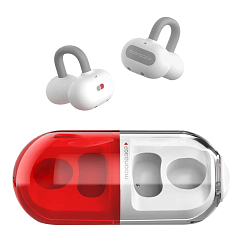
In-Ear headphone type: true wireless
Multipoint: yes
Brand: MoonDrop
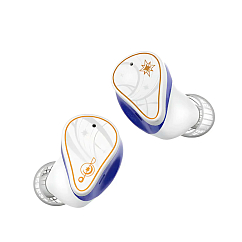
Brand: MoonDrop
Type of wireless headphones: True Wireless
Bluetooth version: 5.4

Headset type: stereo
Brand: Apple
Type of wireless headphones: True Wireless

Headset type: stereo
Brand: MoonDrop
Type of wireless headphones: True Wireless
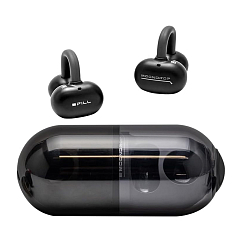
In-Ear headphone type: true wireless
Multipoint: yes
Brand: MoonDrop
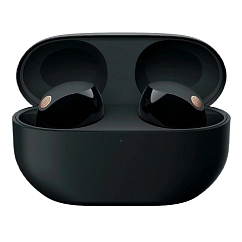
Headset type: stereo
Brand: Sony
Type of wireless headphones: True Wireless