Audio Formats: MP3, FLAC, WAV and More – Which Format Is Best and How Do They Differ?
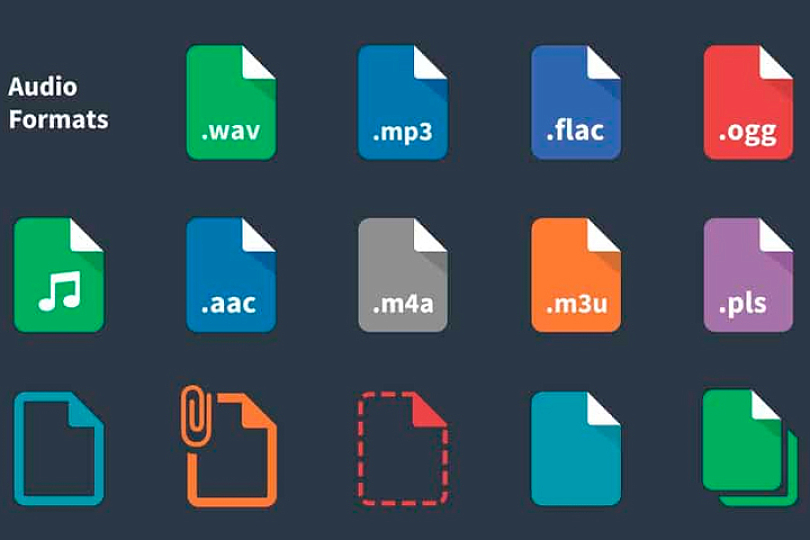
Digital audio surrounds us every day — stored on mobile devices, streamed from services, broadcast via internet radio, or played back in audiobooks. And for each use case, a different audio format may be more appropriate. But how do these formats actually work, and which one should you choose? Let’s explore the essential parameters that define them.
Contents
How Sample Rate, Bit Depth, and Bitrate Shape the Sound
Sample rate refers to how frequently a sound wave is measured and converted into digital form. Imagine slicing a waveform into thousands of vertical strips. Each strip represents one snapshot of the sound — capturing its frequency and amplitude at that moment. The finer the slices, the more snapshots per second we capture, which means a more precise reproduction of the waveform and, thus, the original sound.
For instance:
- 44.1 kHz sample rate = 44,100 measurements per second (standard for Audio CDs)
- 96 kHz = 96,000 measurements per second (used in Hi-Res Audio)
Bit depth determines how many values are used to record each of those measurements, specifically the amplitude or volume.
- 16-bit audio can capture 65,536 volume levels
- 24-bit jumps to 16,777,216 levels — allowing for more dynamic range and subtle detail.
Bitrate, measured in kbps (kilobits per second), indicates how much digital information is used per second to recreate the sound — think of it as brushstrokes in a sonic painting. The higher the bitrate, the richer and more detailed the “audio picture.”
- MP3 at its best = 320 kbps
- Audio CD = 1411.2 kbps
- Super Audio CD = 5644.8 kbps

Psychoacoustics vs. Lossless Compression
When choosing an audio format for your music collection, the goal is often to strike a balance between file size, transmission speed, and sound quality.
Compressed formats — especially lossy ones — remain widely used because they reduce file size significantly. They became popular in the early days of portable audio, when storage capacities were limited. (Many readers may remember their first 128 MB MP3 player.)
These formats leverage psychoacoustic models to remove sounds that are less likely to be perceived by the human ear — such as very quiet elements masked by louder ones, or frequencies outside most people's hearing range. The lower the bitrate, the more sonic information is sacrificed.
Popular Lossy Audio Formats:
- MP3 (MPEG-1 Audio Layer III): Developed in Germany in the early ’90s, MP3 remains ubiquitous in streaming services, digital libraries, audiobooks, podcasts, and video soundtracks. It’s supported by nearly every player — hardware and software alike. + Universally compatible – Lower fidelity due to compression artifacts
- AAC (Advanced Audio Coding):Widely used in Apple devices and services, AAC offers better sound quality than MP3 at comparable or even lower bitrates. This is thanks to more advanced compression algorithms and variable bitrate encoding. + Better quality-to-size ratio than MP3 – Not universally supported across all platforms
- OGG Vorbis / OGG Opus:These open-source formats use different audio encoding methods (Vorbis for general music; Opus optimized for speech and real-time applications), wrapped in the OGG container. They support multichannel audio and are free of patent restrictions. + Efficient, great-sounding, and royalty-free – Limited device and software compatibility, especially on Apple products
Lossless Formats: With or Without Compression
Lossless encoding preserves every detail of the original audio, either without any compression or using reversible compression algorithms. These formats are favored for audiophile listening, archiving, and professional use.
- WAV (Waveform Audio File Format):Created by IBM and Microsoft in 1991, WAV is an uncompressed format known for pristine audio quality. It’s standard in studio recording but the large file size limits its use in consumer libraries and streaming. + Maximum audio fidelity – Very large file sizes
- FLAC (Free Lossless Audio Codec):One of the most popular lossless compressed formats, FLAC slices the audio into segments (like puzzle pieces) and compresses them efficiently without losing any data. During playback, the file is reassembled seamlessly. + Excellent balance of quality and file size – Not universally supported, especially on Apple devices
- APE (Monkey’s Audio):Another lossless format similar in approach to FLAC but with slightly less efficient compression. Sound quality remains comparable. + High-quality sound with compression – Limited device and software support
- ALAC (Apple Lossless Audio Codec):Apple’s proprietary lossless format, ideal for archiving CDs and used in Apple Music’s lossless streaming tier. ALAC now has broader support beyond Apple hardware. + High-quality, Apple-native format – Still not as widely supported as FLAC
Verdict: Which Audio Format Is Best?
Each audio format offers distinct advantages based on use case. So which one is the best?
Based on a balance of:
- Sound quality
- File size
- Device compatibility
- Ease of storage and streaming
FLAC is the overall winner. It’s the go-to format for audiophiles and music lovers building high-resolution digital libraries. It’s also favored by many serious streaming platforms for its transparency and efficiency.
However, MP3 remains popular for good reason — its compact size and universal compatibility make it ideal for podcasts, audiobooks, and casual listening, where absolute fidelity isn’t the top priority.
For Apple users entrenched in the ecosystem, ALAC may be the best choice for a seamless, lossless experience.
No matter the format, understanding how they function helps you curate your library with intention — choosing the right audio quality for the right moment. Whether you’re streaming on the go, building a reference-grade archive, or just revisiting nostalgic MP3s, the format does matter.